
 Inggris
 中文简体
中文简体 Русский
 Español
 Português
 Türkçe
 العربية
 Deutsch
 Polski
 Italiano
 Français
 한국어
한국어 ไทย
ไทย Tiếng Việt
 日本語
日本語
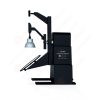
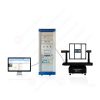
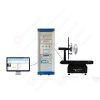

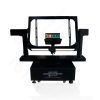
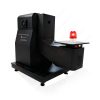












Perangkat Uji Gaya Tarik Retensi untuk Kabel Lunak
Pengguna manual
berlaku LISUN Model: LS-B07
1. Pemahaman Dasar tentang Peralatan
1.1 Parameter Utama
1.1.1 Spesifikasi Teknis Peralatan
| Parameter Teknis | Note |
| Layar Layar Sentuh | Color Touchscreen + PLC |
| Drive Type | Gear Motor |
| Roda Eksentrik | Effective diameter: φ125 mm |
| Eccentricity of an Eccentric Wheel | 32.5 mm |
| Distance from the specimen to the fulcrum | 200 mm |
| Distance from the sample to the point of impact on the eccentric wheel | 160 mm |
| berat | 50N, 60N, 80N, 100N Set of Weights |
| Test Completion Alert | Alarm Terdengar dan Visual |
1.1.2 Standar yang Berlaku
The LS-B07 Retention Tensile Force Test Device for Soft Cable is designed and manufactured in strict accordance with Clause 23.2 and Figure 20 of GB/T 2099.1-2021 “Plugs and Sockets for Household and Similar Purposes—Part 1: General Requirements” (IEC 60884-1(2022, Pasal 23.2, Gambar 27).
It is primarily used in electrical product quality inspection laboratories, the quality control departments of flexible cable and electrical accessory manufacturers, third-party testing organizations, and for import and export product inspections.
1.2 Verifikasi Konfigurasi Peralatan
1.2.1 Membongkar
When unpacking the device, handle it gently and avoid using sharp tools that could scratch the device’s casing. After unpacking, first inspect the exterior of the device to ensure there are no obvious deformations or dents, and that the buttons are not damaged or loose. If you notice any abnormalities with the device or its accessories, do not turn it on. Please contact us immediately.
1.2.2 Host dan Aksesoris
| Jumlah | Note |
| ① | Unit Utama LS-B07 |
| ② | Kabel Listrik |
| ③ | Weight sets, available in 50 N, 60 N, 80 N, and 100 N combinations |
1.2.3 Mengunduh Dokumen Elektronik
We have already emailed you the download links for the electronic user manual, calibration certificate, warranty card, and other documents at the time of shipment. Please download them as soon as possible. If you have not received the email, please contact us to request the download links again.
2. Tindakan Pencegahan Keamanan
2.1 Keamanan Listrik
Before connecting the power cord, verify that the supply voltage is AC 220 V ±10% and the frequency is 50 Hz or 60 Hz. You must use a three-prong outlet with a protective ground, and the protective ground resistance must be ≤4 Ω. Never cut or disconnect the protective ground wire, as doing so poses a risk of electric shock.
2.2 Keselamatan Lingkungan
Do not use in environments with flammable or explosive materials, strong electromagnetic interference, high temperatures and humidity, or excessive dust levels. Place the equipment on a level, stable surface and ensure there is at least 0.5 m of operating space around it. Operating environment: temperature 15°C to 35°C, relative humidity 45% to 75%.
2.3 Prosedur Operasional
During the test loading process, do not reach into the area of the clamps or the tensile transmission mechanism with your hands or body to prevent injuries from pinching or falling objects; Test specimens must be securely clamped to prevent them from detaching or weights from falling during testing, which could cause safety incidents; it is strictly prohibited to disassemble the equipment’s transmission mechanism without authorization, adjust the motor speed improperly, or replace the original manufacturer’s counterweights.
3. Ikhtisar Peralatan
3.1 Diagram Standar
See Figure 3-1 (taken from the IEC standard).
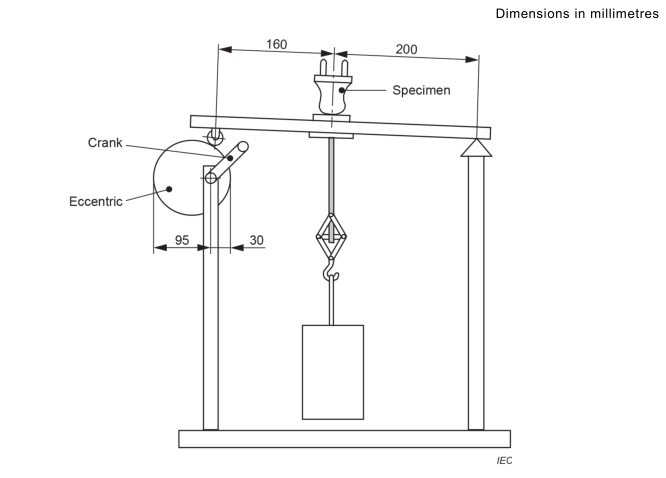
Gambar-3 1
3.2 Foto Produk
Lihat Gambar 3-2.
| Jumlah | Note |
| ① | Saklar daya |
| ② | Buzzer; a buzzer sounds when the test is complete |
| ③ | Touchscreen |
| ④ | Motor Power Switch |
| ⑤ | The motor speed control knob is pre-set at the factory; only minor adjustments in accordance with the test specifications are permitted (the standard tensile cycle is 1 second). Do not make significant adjustments at will. |
| ⑥ | berat |
| ⑦ | Eccentric wheel, driven by a motor, no handle required |
| ⑧ | Specimen Mounting Holes |
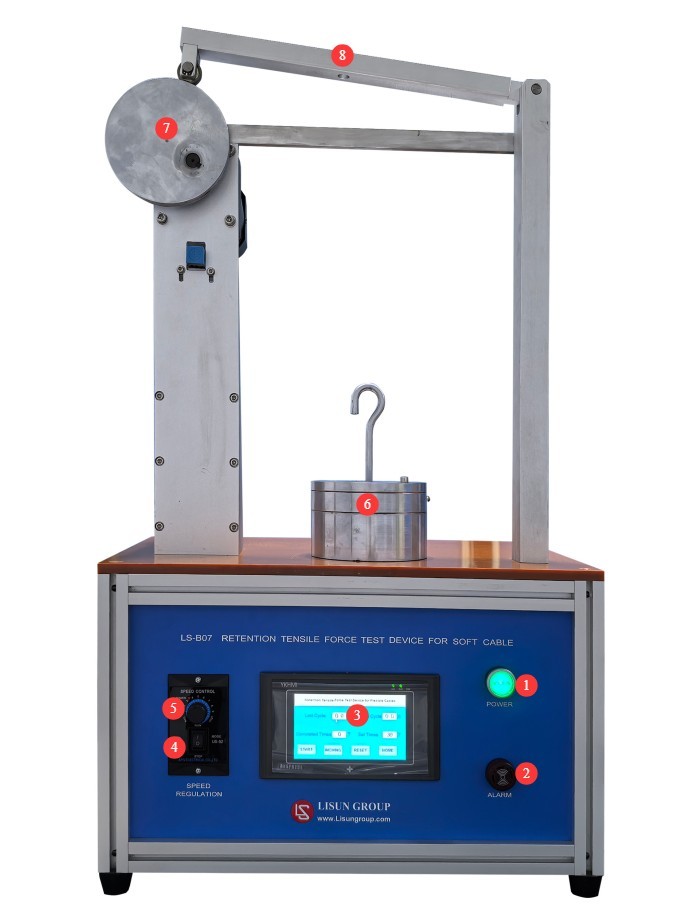
Gambar-3 2
4. Pengantar Program Layar Sentuh
4.1 Layar Awal
Lihat Gambar 4-1.
| Jumlah | Note |
| ① | Go to the Test Interface |
| ② | Go to the Help screen |
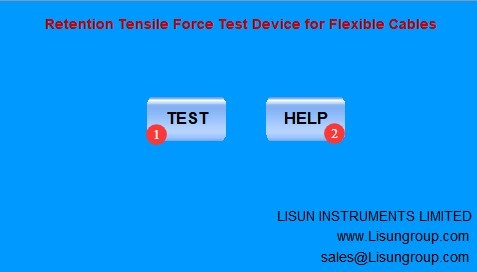
Gambar-4 1
4.2 Antarmuka Pengujian
Lihat Gambar 4-2.
| Jumlah | Note |
| ① | Duration of the last test cycle |
| ② | Duration of the current test cycle |
| ③ | Number of tests conducted so far |
| ④ | Set the number of tests |
| ⑤ | Start/Stop Test |
| ⑥ | Inch movement; click to adjust the position of the eccentric wheel |
| ⑦ | Reset: Clear current test data and clear the buzzer alarm |
| ⑧ | Kembali ke Layar Beranda |
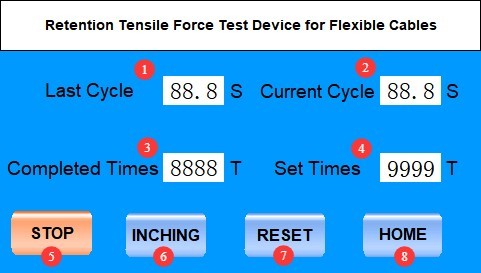
Gambar-4 2
5. Flexible Cable Retention Force Test
5.1 Persiapan Sampel
Select brand-new, unused finished plugs and receptacles that have not undergone any destructive testing, and discard any nonconforming specimens with surface dents, cracks, or obvious deformation.
The flexible cable should be naturally straight, free of twists or kinks; when part of the outer jacket is stripped, the insulation of the flexible cable itself must not be damaged.
5.2 Determining the Duration of the Test Cycle
See Sections 3.2 and 4.2. Turn on the machine and perform an idle test to verify that the test cycle lasts 1 second (the standard requires that the tensile force be applied for 1 second each time). If the cycle is not 1 second, slowly adjust the motor speed control knob until the test cycle is 1 second.
5.3 Preparation of Weights
Prepare the corresponding weights according to the table below.
| Rated Voltage and Current of Flexible Cables | berat |
| Rated current = 2.5 A | 50 N |
| 2.5 A < rated current ≤ 20 A, rated voltage ≤ 250 V | 60 N |
| 2.5 A < rated current ≤ 20 A, rated voltage > 250 V | 80 N |
| Rated current > 20 A | 100 N |
5.4 Installation and Calibration of the Specimen Weights
Refer to the standard diagram in Section 3.1 to install the test specimen’s flexible cable and the weight. Refer to Section 4.2 to use the inch-feed function; when the eccentric wheel reaches the lower limit, the weight should drop naturally without any additional tensile force; during the remainder of the travel, the weight should remain suspended off the ground, and a standard tensile force should be continuously applied.
5.5 Mengatur Parameter dan Memulai Pengujian
| petunjuk | Note |
| ① | Refer to Section 4.2 and set the number of test cycles to 100 (the standard requires the specimen to withstand 100 tensile cycles). |
| ② | Click “Reset” to clear the current test data |
| ③ | Click “Start” to begin the test |
| ④ | During the test, observe the condition of the specimen and the weights. If you notice any abnormalities, click “Stop,” readjust the setup, and try again. |
| ⑤ | When the test is complete and the device sounds an alarm, click “Reset” to clear the current test data and silence the buzzer. |
5.6 Post-Test Procedures
After the test is completed, refer to the standard to conduct follow-up torque tests (using the LS-B47 Flexible Cables Torque Test Device) and inspect the displacement of the flexible cable to determine whether it complies with the standard.
6. Pemeliharaan dan Perawatan Rutin Peralatan
6.1 Daily Maintenance After Shutdown
At the end of each day’s testing, clean dust and specimen debris from the equipment surfaces, and keep the fixtures and slide rails clean and free of debris; clean the touchscreen with a dedicated screen-cleaning cloth; and check that the hooks are not loose or deformed.
6.2 Weekly Routine Maintenance
Apply a small amount of specialized lubricating grease to the equipment’s guide rails and lead screws to ensure smooth, jam-free operation.
6.3 Maintenance During Long-Term Storage with the Machine Shut Down
After the equipment has been powered off and routine maintenance has been completed, cover the entire unit with a dust cover and store it in a dry, well-ventilated warehouse; coat the weights with rust-preventative oil and store them separately to prevent rust and deformation; power on the equipment for 30 minutes each month to prevent moisture damage to the components.
6.4 Persyaratan Interval Kalibrasi
Untuk memastikan akurasi pengukuran dan keandalan operasional peralatan, disarankan agar peralatan tersebut secara berkala dikirim ke lembaga metrologi pihak ketiga yang berkualifikasi untuk kalibrasi. Interval kalibrasi yang disarankan adalah 12 bulan. Pengguna dapat menentukan interval kalibrasi spesifik berdasarkan frekuensi penggunaan, kondisi lingkungan, dan persyaratan sistem mutu.
7. Pemecahan Masalah dan Penyelesaian Masalah Umum
| Gejala Kesalahan | Kemungkinan penyebab | Prosedur |
| The device did not respond after the test was started | The motor power switch is not turned on | The unit has two power switches; please make sure the motor switch is also turned on before trying again. |
| Touchscreen lags; no response to taps | Screen surface smudges causing interference; program crashes | Turn off the device, clean the screen, then restart it and try again. |